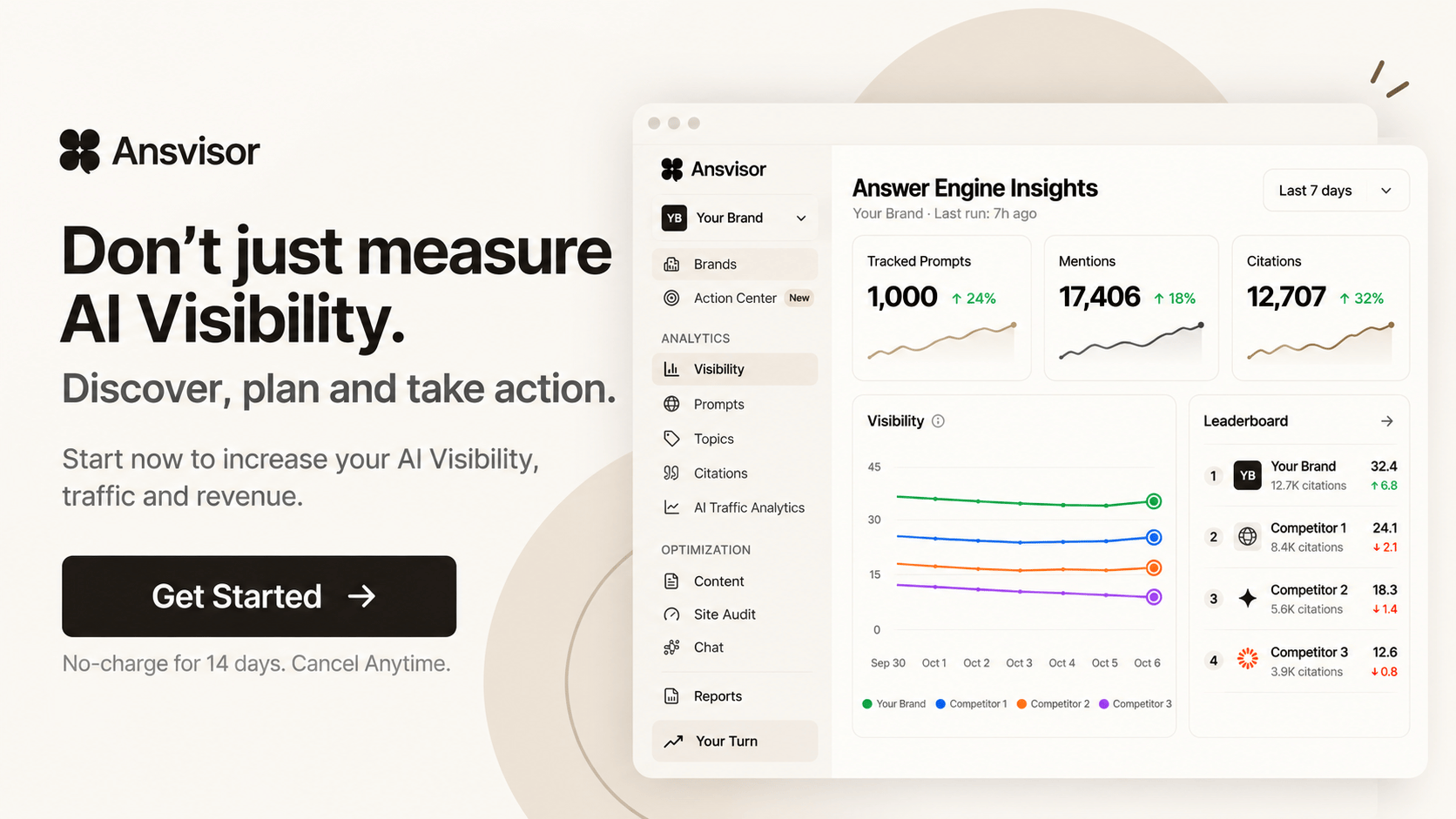


AI Prompt Tracking & Volumes for AI Search

Manage every tracked prompt and review estimated AI demand
Prompt | Topic | Status | Visibility | Mentions | Citations | Positions | Volume | Competition | Runs |
|---|---|---|---|---|---|---|---|---|---|
best crm for small sales teams | Small team CRM | Active | 82.4 | 38 | 24 | #1.40.3 | 1.4–3.7k | 30 | |
crm with built-in email sequences | Email automation | Active | 76.1 | 31 | 19 | #1.70.2 | 580–1.1k | 30 | |
easiest crm to switch to from spreadsheets | Migration | Active | 71.5 | 27 | 16 | #1.90.4 | 320–880 | 30 | |
crm pricing for small teams compared | Pricing | Active | 66.8 | 25 | 21 | #2.10.1 | 1.1–2.4k | 30 | |
best crm for real estate teams | Real estate | Active | 63.2 | 22 | 12 | #2.20.5 | 880–1.6k | 30 | |
crm that works with gmail and outlook | Integrations | Active | 61.0 | 20 | 14 | #2.40.2 | 420–950 | 30 |
Manage every tracked prompt and review estimated AI demand
best crm for small sales teams | Small team CRM | Active | 82.4 | 38 | 24 | #1.40.3 | 1.4–3.7k | 30 | |
crm with built-in email sequences | Email automation | Active | 76.1 | 31 | 19 | #1.70.2 | 580–1.1k | 30 | |
easiest crm to switch to from spreadsheets | Migration | Active | 71.5 | 27 | 16 | #1.90.4 | 320–880 | 30 | |
crm pricing for small teams compared | Pricing | Active | 66.8 | 25 | 21 | #2.10.1 | 1.1–2.4k | 30 |
Last 30dSep 25 – Oct 24, 202629 runs
Runs
29
29 of 30 days tracked
145 answers
Mentioned
27 / 29 days
2 not mentioned
In 118 of 145 answers · 284 mentions
Cited
26 / 29 days
3 not cited
In 96 of 145 answers · 211 citations
Avg. position
#1.4
when mentioned · #3.2 in sources
Answer counts cover the platforms your plan includes.
 ChatGPTMentioned26 / 2990%Cited21 / 2972%#1Best#3Worst#1.3Avg.
 Microsoft CopilotMentioned24 / 2983%Cited20 / 2969%#1Best#3Worst#1.6Avg.
 Google AI OverviewsMentioned25 / 2986%Cited24 / 2983%#1Best#2Worst#1.4Avg.
 Google AI ModeMentioned22 / 2976%Cited19 / 2966%#1Best#3Worst#1.5Avg.
Every prompt with visibility, mentions, citations and AI volume.

Visibility · mentioned in 38 of 52 answers, cited in 24
Mentions
Citations
AI searches a month
52 results grouped by platform and model.
ChatGPTUnited States30 runsMentions
58
Citations
37
Microsoft CopilotUnited States22 runsMentions
38
Citations
24
Manage every tracked prompt and review estimated AI demand
2 prompts without a topic
Small team CRM
CRM for real estate
Email automation
CRM onboarding for new sales hires
Pipeline forecasting tools
CRM data migration services
Click a topic to drill into detailed analytics
| Topic | Prompts | Visibility | SoV | Mentions | Citations | Trend | Top competitor | Last run |
|---|---|---|---|---|---|---|---|---|
| Small team CRM | 12 | 74.6 | 41.2% | 318 | 204 | 4.1 pts | Kestrel CRM · 22.4% | 5h ago |
| Email automation | 7 | 63.8 | 33.5% | 142 | 96 | 6.2 pts | Harbor CRM · 19.8% | 5h ago |
| Pricing | 6 | 58.1 | 28.0% | 121 | 88 | 1.3 pts | Kestrel CRM · 26.1% | 5h ago |
| Migration | 5 | 52.7 | 24.6% | 87 | 51 | 0.8 pts | Harbor CRM · 21.0% | 5h ago |
| Integrations | 4 | 46.9 | 19.3% | 64 | 40 | 2.2 pts | Kestrel CRM · 24.7% | 5h ago |
| CRM for real estate | 4 | 21.3 | 8.2% | 22 | 9 | 1.9 pts | Harbor CRM · 31.5% | 5h ago |
Manage every tracked prompt and review estimated AI demand
across 37 keywords
from 164k Google searches
of Google search volume
per prompt
Total estimated AI-answered queries across all topic clusters, split by answer-engine share.
Google AI OverviewChatGPT Google GeminiMicrosoft Copilot
 PerplexityGoogle AI Mode
Most-searched keyword clusters across all prompts
| Prompt | Google Vol. | Est. AI Vol. | Intent |
|---|---|---|---|
| best crm for small sales teams | 8,100 | 1.4–3.7k | Best / Top |
| crm pricing for small teams compared | 5,400 | 1.1–2.4k | Comparison |
| best crm for real estate teams | 3,600 | 880–1.6k | Best / Top |
| how to choose a crm for a 10-person sales team | 2,900 | 650–1.7k | How-to |
| crm with built-in email sequences | 2,400 | 580–1.1k | Recommendation |
| what is a sales pipeline in a crm | 1,900 | 420–950 | What is |









How visible are you for the questions buyers ask AI?
Ansvisor asks each tracked prompt on the AI platforms in your plan and records the answer. For every prompt you see whether you were mentioned, whether your pages were cited, where you appeared, and how much demand sits behind it.
Every answer, down to the run
- Visibility, mentions, citations, position. One row per prompt, filtered by status, topic or performance.
- Per platform and model. Open a prompt to see ChatGPT, Copilot, Gemini and the rest side by side.
- Every run kept. Each answer has its date, mentions, citations, sentiment and a score, so you can see when something changed.
- Competition and volume. See how crowded a prompt is and how much demand is behind it before you work on it.
How many people ask AI this question?
AI platforms don't publish query counts, so Ansvisor estimates them. Each prompt is matched to related Google keywords, and their median monthly searches are multiplied by an AI adoption rate. You get a range, clearly labelled Estimate, that tells you which prompts are worth the effort.
Google AI OverviewChatGPTGoogle GeminiMicrosoft CopilotPerplexityGoogle AI ModeHow the estimate works
Each prompt is matched to keywords with the same meaning, and their median monthly searches are taken.
That demand is multiplied by the share of searchers who now ask AI instead.
A monthly range per prompt, for planning and comparing, not a measured count.
FAQ
What is AI prompt tracking?

Prompt tracking means asking AI answer engines the same buyer questions on a schedule and recording what they say. Ansvisor runs each tracked prompt on the platforms in your plan and stores whether your brand was mentioned, whether your pages were cited, and where you appeared in the answer.
Which metrics does Ansvisor show for each prompt?
Each tracked prompt shows visibility, mentions, citations, position, estimated AI volume, competition and the number of runs. Open a prompt to see the same data per platform and per run, with sentiment and a score for each answer.
Which AI platforms can I track prompts on?
It depends on your plan. Starter covers ChatGPT and Microsoft Copilot, Growth adds Google Gemini, Google AI Mode, Google AI Overview and Perplexity, and Claude is available on Enterprise.
What is a prompt volume?
It is an estimate of how many times a month people ask AI something close to that prompt. Ansvisor shows it as a range, such as 1.4–3.7k, and labels it Estimate so it is never mistaken for a measured count.
How is the estimated AI volume calculated?
Ansvisor matches each prompt to related Google keywords, takes their median monthly searches and applies an AI adoption rate. The Insights view shows the inputs, the total across your prompts and the split by answer engine. Use it to compare and prioritize prompts, not as an exact traffic forecast.
What are topics?
Topics group related prompts, for example Pricing or Integrations. For each topic you see visibility, share of voice, mentions, citations, trend and the competitor that leads it, so you can tell where you win and where a rival takes the answer.
Does Ansvisor suggest new prompts and topics?
Yes. Prompt Suggestions come from your Google Search Console or Google Analytics data and Ansvisor's agents (from the agents only if neither is connected), and Topic Suggestions appear on the Topics tab. You add the ones you want with one click. The Prompt Generator page covers this in detail.
How often are prompts run?
Prompts run on a regular schedule, and each run is stored with its date so you can follow changes over time. The prompt detail view lists every run per platform with its mentions, citations and sentiment.
Can I filter by date and location?
Yes. Choose 24 hours, 7, 30 or 90 days, or a custom range, and filter by location. The tracked prompts table can also be filtered by status, topic and performance, and exported as CSV.
How does prompt tracking connect to the rest of Ansvisor?
The prompts you track feed Query Fan-Out, Content Intelligence and Action Center. Fan-out shows the searches behind each answer, Content Intelligence turns weak prompts into content opportunities, and Action Center turns them into tasks with owners and KPIs.
Make Your Brand Visible in AI Answers.



The open-source AI Search Execution Platform. Track how AI answers talk about your brand and act on it.
Open source · MIT licensePlatform
Solutions
Resources
 ChatGPT
 Claude
© 2026 Ansvisor, a brand of Empler AI Inc. · 1401 PE Ave. Unit 105, Wilmington, DE 19806, United States