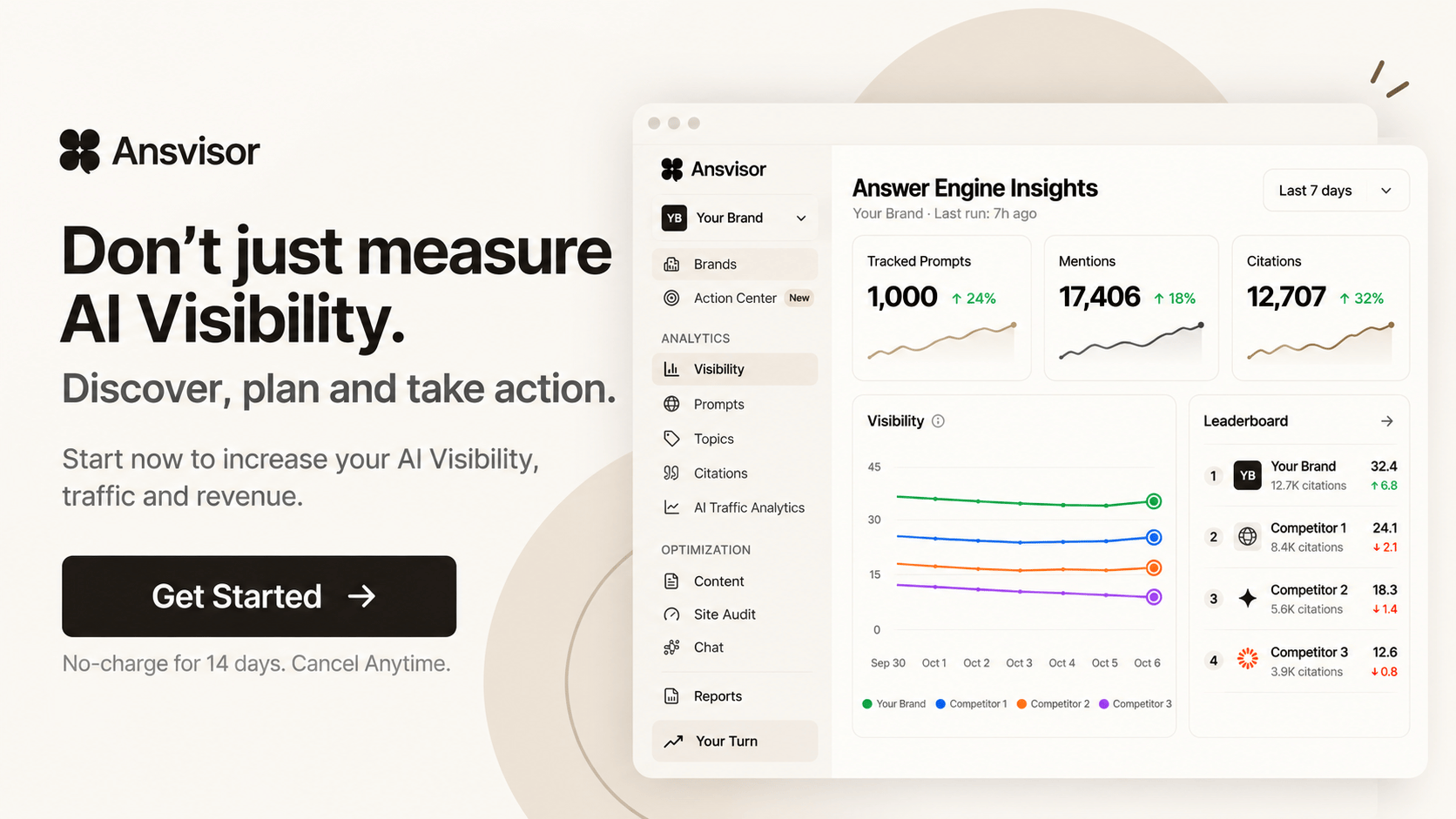
Bing AI Mode Visibility Tracker

Track Your Brand Visibility in Bing AI Mode

Track how your brand appears in Bing AI Mode answers. Monitor prompts, mentions, citations, competitors, and cited sources. Discover where your brand is missing and find opportunities to improve your visibility in AI-generated search results.

14-day free trial · Cancel anytime
Bing AI Mode Prompt Tracking Brand Mentions AI Citations Competitor Visibility
Bing AI Mode Intelligence Bing AI Mode
Tracked Prompt

What are the best platforms for AI Search visibility?

Brand mentioned Yes
Citations detected 4
Competitors detected 5
184 Tracked Prompts
31% Visibility Share
46 Citation Sources

Illustrative dashboard preview. Metrics shown are examples.

Bing AI Mode Analytics

Understand How Your Brand Appears in Bing AI Mode

Analyze prompts, mentions, citations, competitors, sources, and answer-level signals to understand how your brand is represented across Bing AI Mode experiences.

01

Track Bing AI Mode Prompts

Monitor the questions and prompts that matter to your brand, products, services, category, and customers.

02

Monitor Brand Mentions in Bing AI Mode

See when your brand appears in tracked Bing AI Mode answers and connect those mentions with the prompts that triggered them.

03

Track Bing AI Mode Citations

Discover the domains and URLs cited in Bing AI Mode answers and identify the sources influencing AI Search visibility.

04

Compare Bing AI Mode Competitors

See which competitors appear for the same prompts and compare mentions, citations, sources, and visibility.

05

Analyze Bing AI Mode Answers

Review answer-level context to understand how Bing AI Mode represents your brand, competitors, products, and category.

06

Measure Bing AI Mode Visibility Over Time

Track how mentions, citations, competitors, and prompt-level visibility change as your AI Search strategy evolves.

Improve Bing AI Mode Visibility

Track, Discover and Improve Your Bing AI Mode Visibility

Turn Bing AI Mode visibility data into an ongoing AI Search workflow. Track where your brand appears, discover the prompts, citations, sources, and competitors shaping visibility, and prioritize opportunities to improve.

01

Track Bing AI Mode Visibility

Monitor prompts, brand mentions, citations, competitors, sources, and answer-level visibility across Bing AI Mode.

02

Discover Bing AI Mode Opportunities

Find prompt gaps, competitor advantages, citation opportunities, source patterns, and content areas that can strengthen AI visibility.

03

Improve Visibility in Bing AI Mode

Turn AI Search intelligence into content, citation, and optimization actions designed to improve how your brand appears in Bing AI Mode.

From Bing AI Mode Answers to Action

Ansvisor connects prompts, AI Answers, mentions, citations, competitors, sources, and performance signals in one intelligence layer so teams can understand Bing AI Mode visibility and decide what to improve next.

Track → Discover → Improve

Start Tracking Your Visibility in Bing AI Mode

Monitor how your brand appears across Bing AI Mode, track prompts, mentions, citations, competitors, and sources, and discover opportunities to improve your AI Search visibility.

Trusted by marketers, executives, and builders worldwide.
Overcut
Empler AI logo
Stripe logo
Bright Data logo
Cloro logo
Megafortuna logo
Mobile Marketing Reads logo
Scrape.do logo
Spiky AI logo
Primex
Walter
Monosen
Blust
Overcut
Empler AI logo
Reverse
Scale
Primex
Walter
Monosen
Blust

Bing AI Mode Visibility Tracker — FAQ

Frequently asked questions.

What is a Bing AI Mode Visibility Tracker?

A Bing AI Mode Visibility Tracker monitors how your brand appears in the AI answers Microsoft Bing shows above its search results. It helps you track brand mentions, citations, query-level visibility, competitor presence, and changes in your AI Search visibility over time.

How can I track my brand visibility in Bing AI Mode?

You can monitor relevant queries and check whether Bing AI Mode mentions your brand, cites your website, surfaces competitors, or references other sources in its answers. Ansvisor brings these signals together so you can understand your visibility across the queries that matter to your business.

Can Ansvisor track brand mentions and citations in Bing AI Mode?

Yes. Ansvisor tracks brand mentions and citations in Bing AI Mode answers. You can see when your brand appears, which URLs and domains are cited, and how your presence compares with competitors across monitored queries.

Can I track which queries make my brand appear in Bing AI Mode?

Yes. Ansvisor provides query-level tracking so you can identify which monitored queries generate brand mentions, citations, or competitor visibility in Bing AI Mode. This shows where your brand is already visible and where new AI Search opportunities exist.

How can I improve my brand visibility in Bing AI Mode?

Start with queries where competitors appear but your brand does not, check which sources and URLs Bing AI Mode cites, and find topics where your visibility is weak. Bing AI Mode builds its answers from Bing search, so make sure Bing can crawl and index your key pages; Bing Webmaster Tools and IndexNow help with that. Ansvisor combines visibility tracking, citation intelligence, competitor analysis and content opportunities to help you prioritize what to fix first.

Which Ansvisor plans include Bing AI Mode tracking?

Bing AI Mode tracking is available in the Growth and Enterprise plans. Growth includes ChatGPT, Google Gemini, Google AI Overviews, Google AI Mode and Bing AI Mode, and Custom plans add Claude.

Summarize with ChatGPT
Summarize with Claude
Summarize with Google
Summarize with Google AI
Summarize with Perplexity
Summarize with Grok
Summarize with Grok