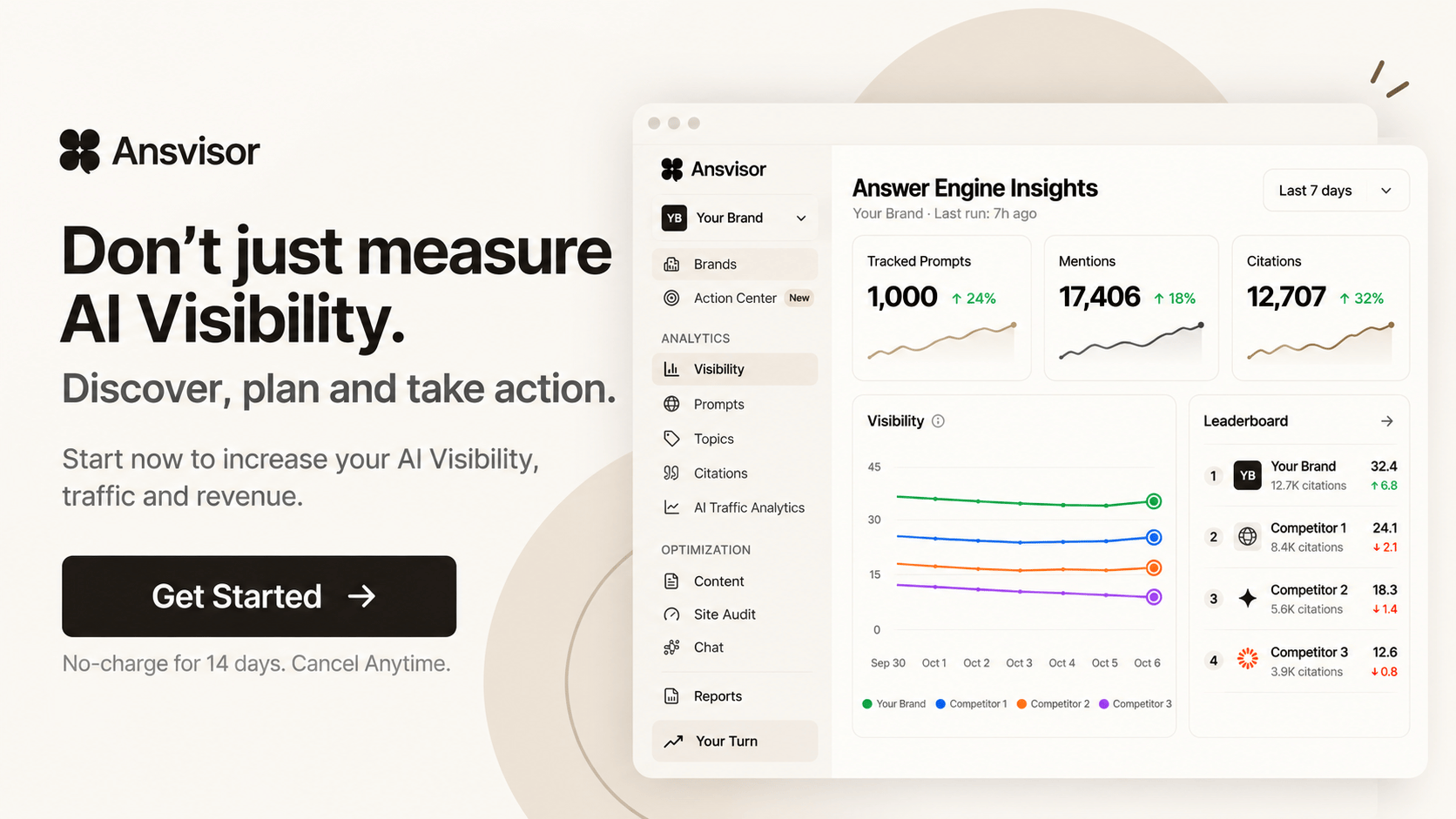
Agent Center
AI agents that keep working on your AI visibility
Pick an agent for a goal, choose how much it does on its own and set when it runs. It reports what changed, drafts the fixes and asks before anything goes live.
How an agent is built
Skill + mode + connections + model
Every agent is four choices. Start from a ready-to-use agent or build your own with New agent.
Skills
What the agent knows how to do. Pick from Ansvisor’s AEO skills, such as /report, /winback and /compare, or from a library of more than 700 marketing skills.
Mode
How much it does on its own. Ask me first checks with you before it acts, Auto, ask before changes works alone and stops before anything changes on your site, Full auto runs end to end.
Connections
The data and tools it can use: your Ansvisor data, Google Search Console, Google Analytics, your CMS and Google Docs.
Model
The AI model it runs on. Agents use the AI usage in your plan. Custom plans can bring their own AI keys.
Ready to use
Agents for every goal, ready on day one
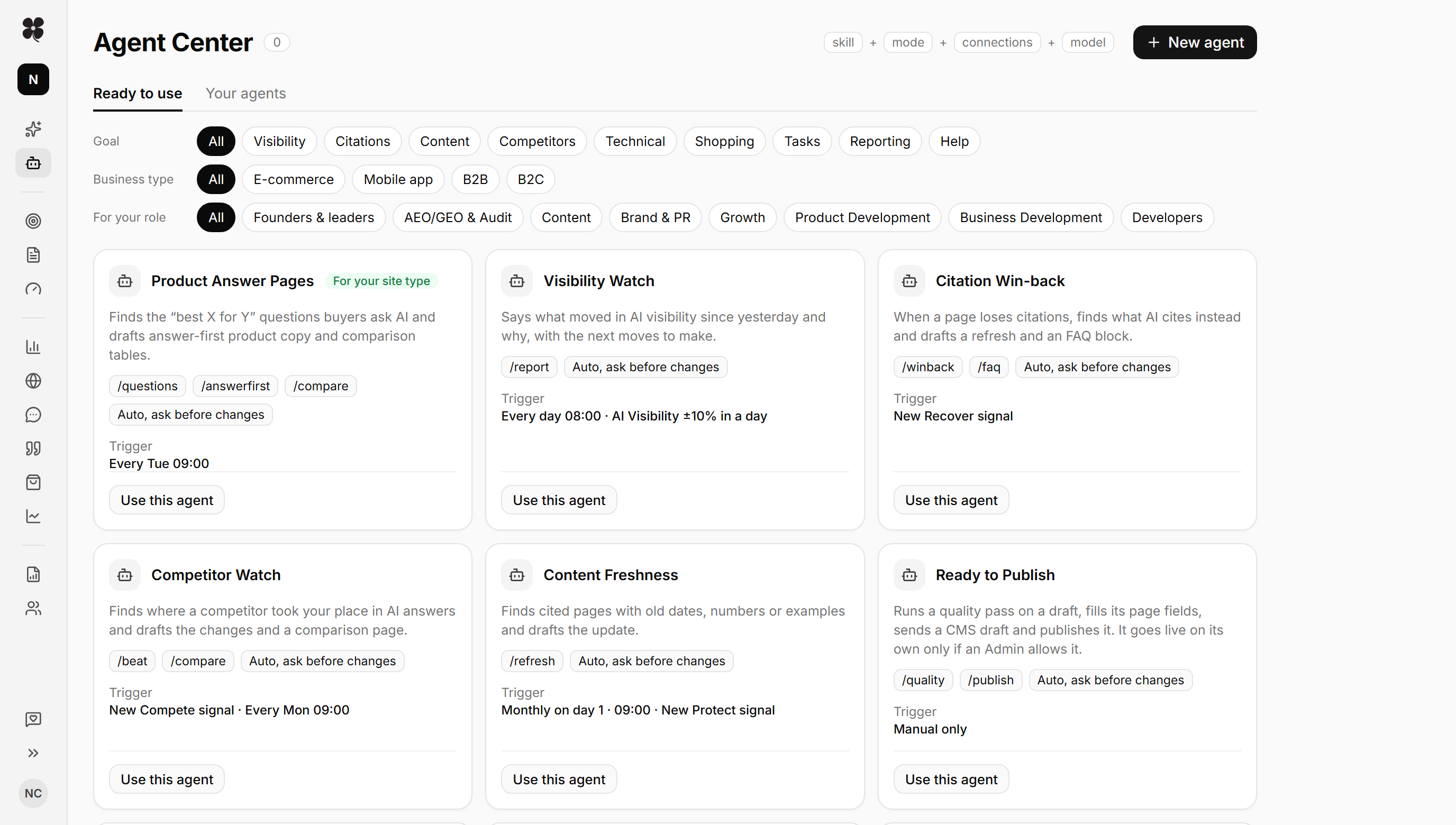
Filter by goal and turn one on. Agent Center also suggests agents for your business type (e-commerce, mobile app, B2B or B2C) and your role.
Visibility Watch
Says what moved in AI visibility since yesterday and why, with the next moves to make.
Brand Facts Guardian
Finds AI answers that get facts about your brand wrong and drafts the fixes against your brand facts.
Prompt Portfolio Manager
Proposes prompts to add and to pause, so tracking stays on what matters.
Citation Win-back
When a page loses citations, finds what AI cites instead and drafts a refresh and an FAQ block.
Source Outreach List
Lists the publications and directories AI cites for your topics, whether each lists you, and the next step. It never sends anything.
Product Answer Pages
Finds the “best X for Y” questions buyers ask AI and drafts answer-first product copy and comparison tables.
Content Freshness
Finds cited pages with old dates, numbers or examples and drafts the update.
Fan-out Gap Filler
Drafts answer-first sections for the sub-questions AI searches where your brand is missing.
Competitor Watch
Finds where a competitor took your place in AI answers and drafts the changes and a comparison page.
Alternatives & Comparison Pages
Drafts “X vs Y” and alternatives pages, then checks them against how AI compares you, feature by feature.
Task Finisher
Works through this week’s Action Center tasks by priority and finishes two a run. You close the tasks.
Weekly Report
Your week in AI answers on one page: citations, mentions and share of voice, what changed and why.
CEO Brief
Each Monday, one page for leaders: whether AI recommends you more, what moved, and where to win next.
Triggers
When does an agent run?
On a schedule, when Action Center raises a signal, or when a number crosses a line you care about. You can also run any agent by hand.
On a schedule
Every morning, every Monday or on the first day of the month. The agent runs and leaves its work for you.
On a signal
When Action Center sees a lost citation, a competitor gain or a drop in sentiment, the matching agent starts.
On a threshold
When AI visibility moves more than 10% in a day, or sentiment falls in a week, you hear why the same morning.
You stay in control
Agents do the work. You make the call.
The agent finds it
It reads your visibility, citations and Action Center signals and works out what changed and why.
The agent drafts it
Refreshes, FAQ blocks, comparison pages and reports are written and checked against your brand facts.
You approve it
Nothing goes live without your OK unless an Admin allows it. You close the tasks and see the result in Analytics.
FAQ
Agent Center questions
What is Agent Center?
Agent Center is where you pick, set up and run AI agents in Ansvisor. Each agent combines skills, a mode, connections and a model, and runs on a schedule or when a signal fires. It works on your AI visibility: reports, citations, content, competitors and Action Center tasks.
Do agents change my site without asking?
No. In Ask me first and Auto, ask before changes modes, an agent stops before anything changes on your site and waits for your OK. A draft is published on its own only if an Admin allows it.
How many agents can I run?
Starter runs up to 5 active agents, Growth up to 25, and Custom plans set their own limit. Full auto agents come with Growth and Custom plans.
What does an agent cost to run?
Agents use the AI usage included in your plan, the same allowance Chat uses. Admins can add AI usage packs on a paid plan.
Can I build my own agent?
Yes. Choose New agent, pick the skills, mode, connections and model, then set when it runs. You can also start from a ready-to-use agent and change it.











Make Your Brand Visible in AI Answers.


The open-source AI Search Execution Platform. Track how AI answers talk about your brand and act on it.
Open source · MIT licensePlatform
Solutions
Resources
 ChatGPT
 AI Overviews
 AI Mode
 Copilot
 Perplexity
 Claude
© 2026 Ansvisor, a brand of Empler AI Inc. · 1401 PE Ave. Unit 105, Wilmington, DE 19806, United States